Here we have a helpful selection of guides including videos to get you started:
How to Pair Your Device:
1, Turn your battery over and locate the reset tool and the reset hole
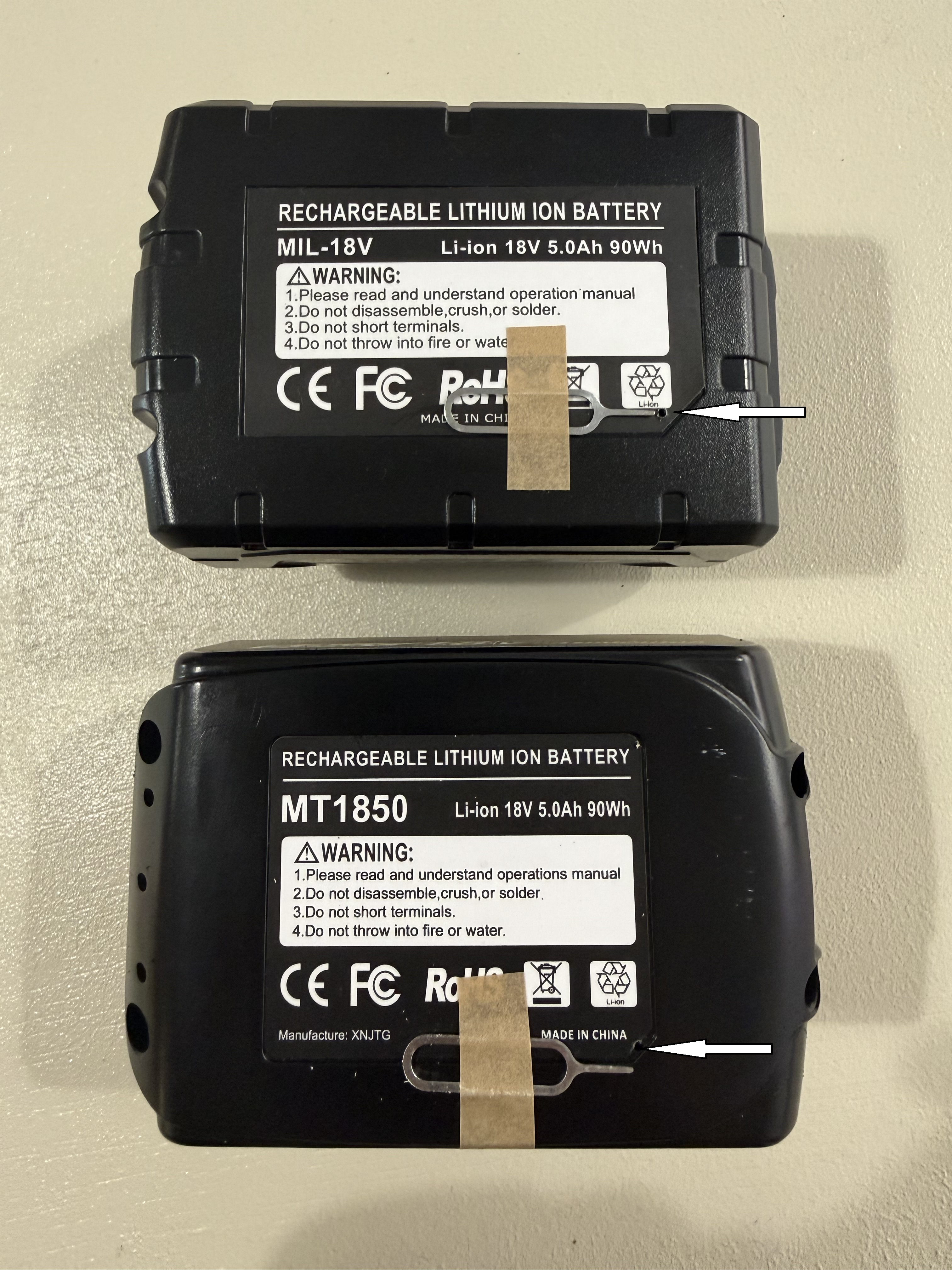
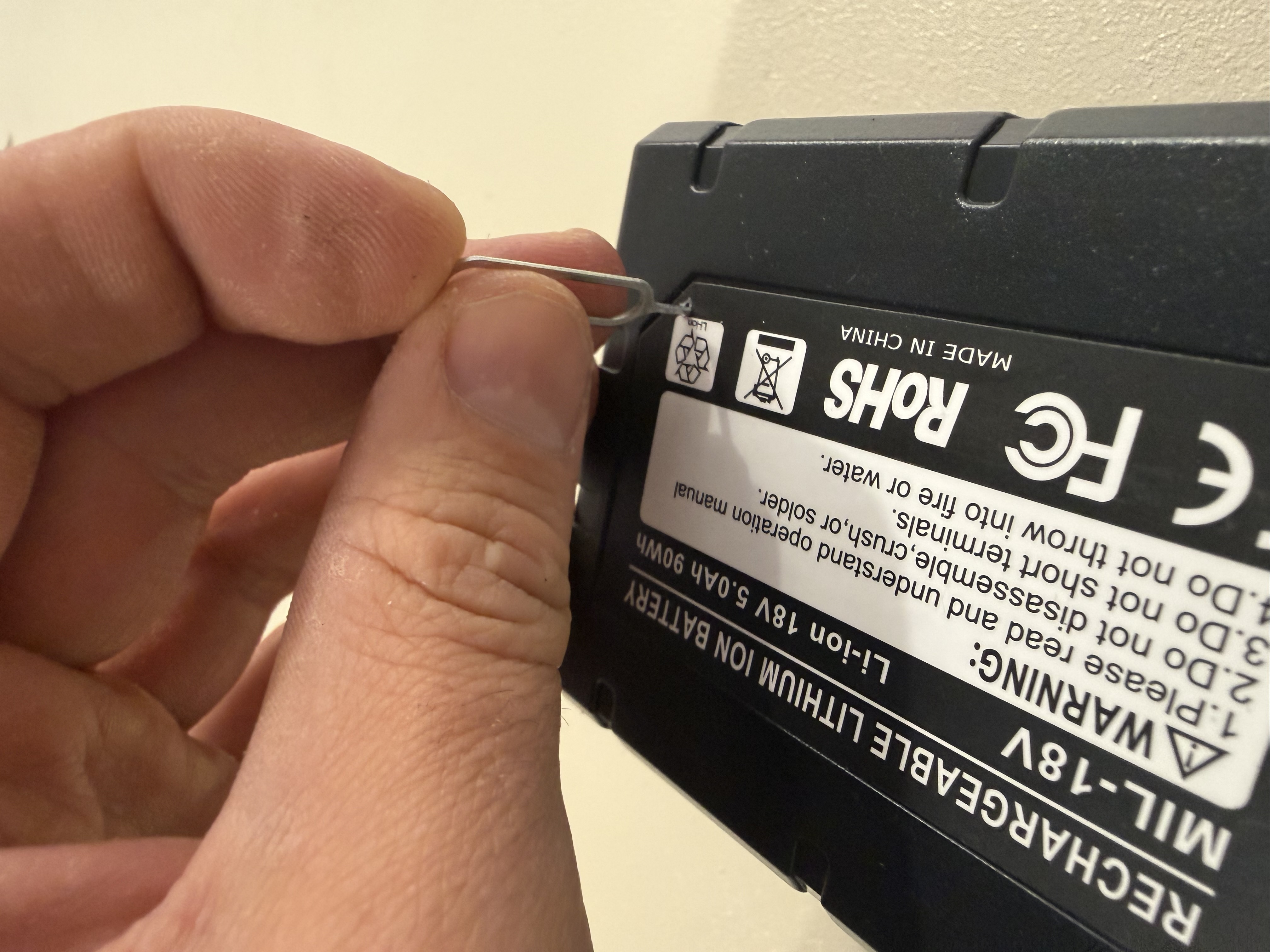
2, Press and hold the reset tool inside the reset hole for 3 seconds until you hear an audible beep
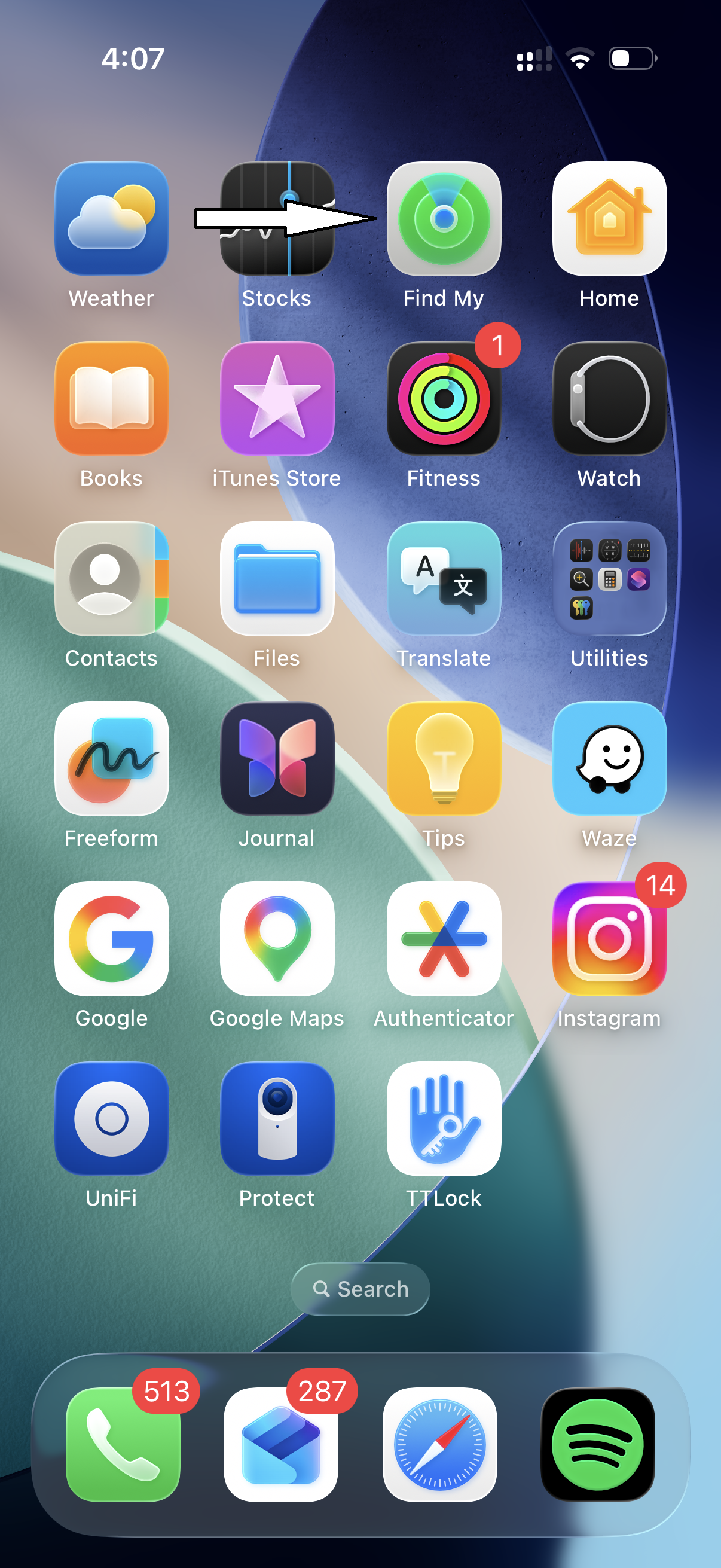
3, Locate and open the "Find My" app on your phone - it is installed by default
4, Tap "Items" from the toolbar at the bottom of the screen
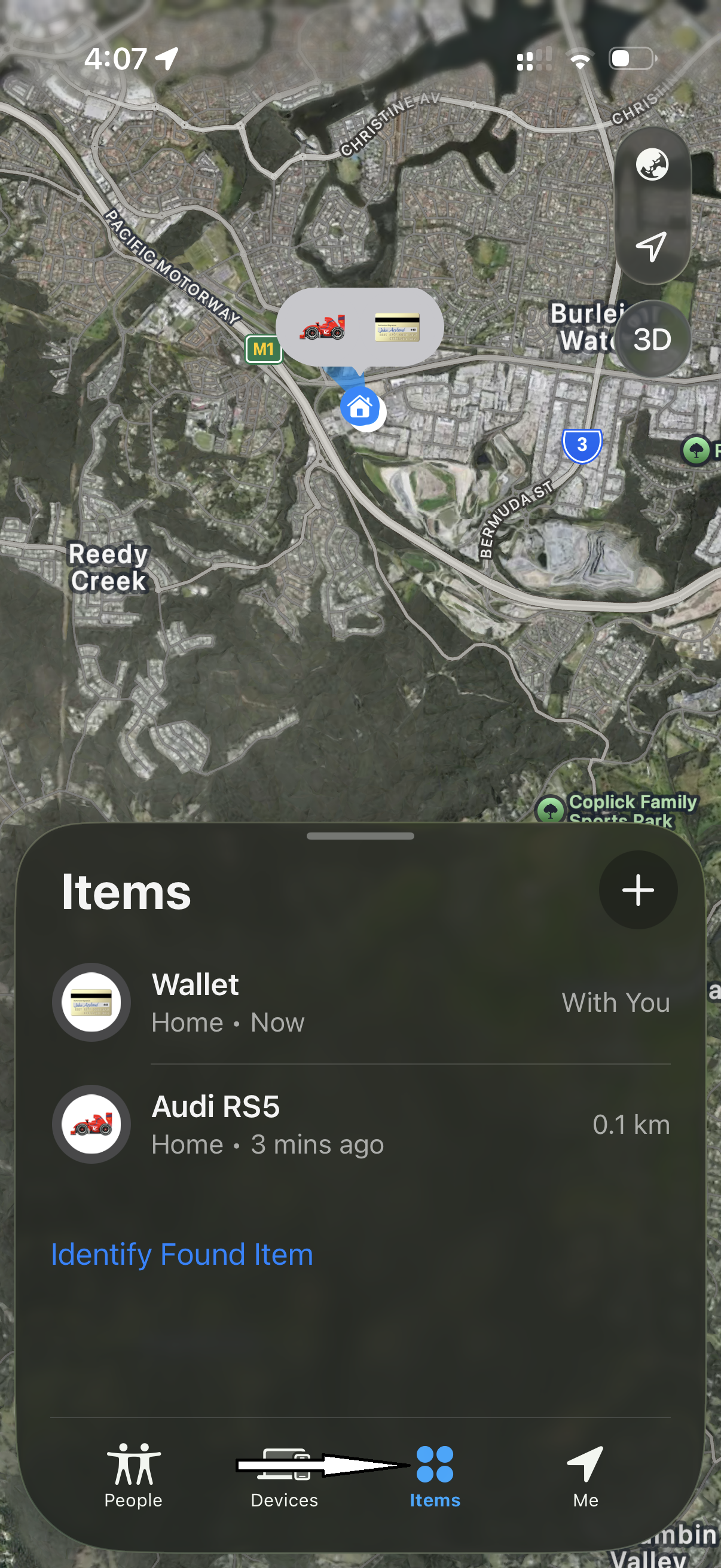
5, Tap the "+" button
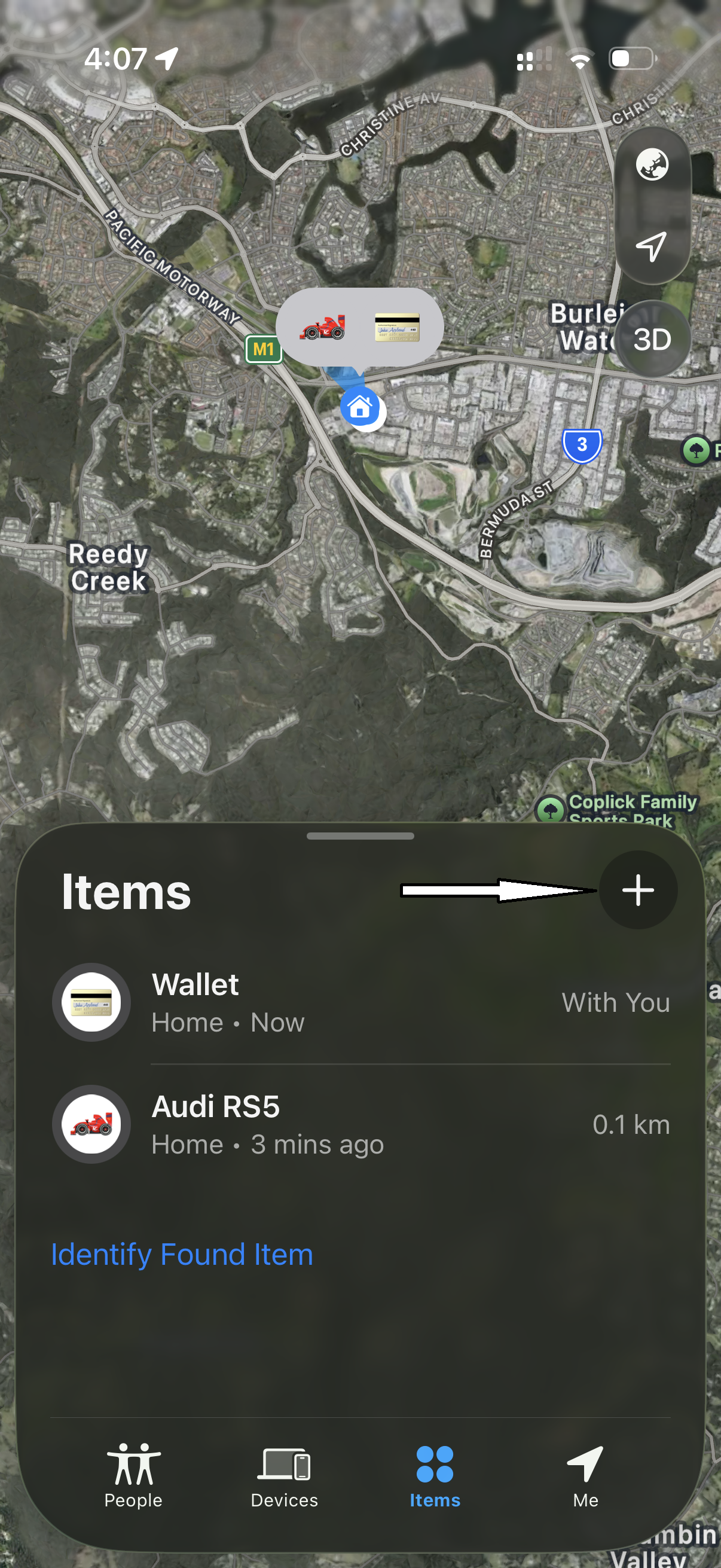
6, Tap "Other Item" and wait for searching to begin
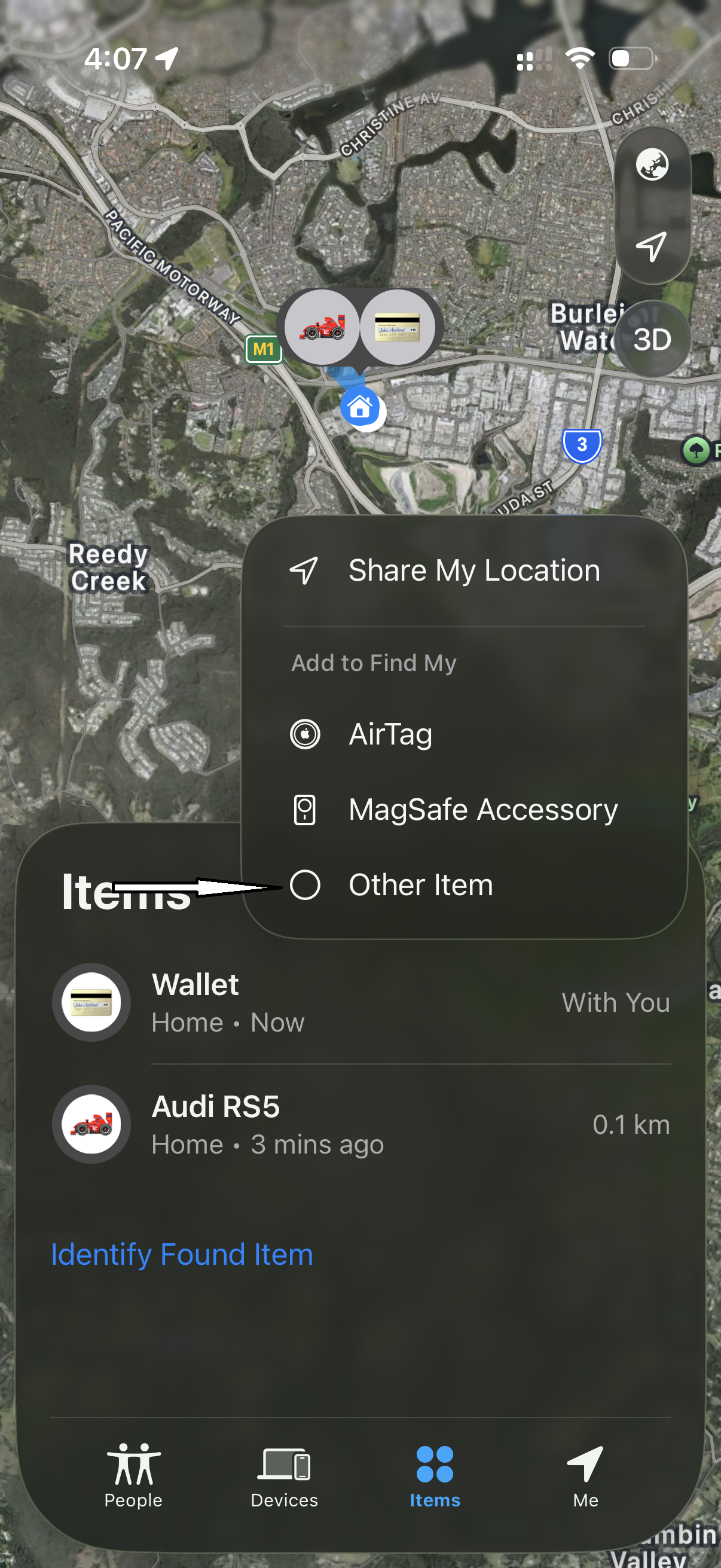
7, Once the battery is found tap "Connect"
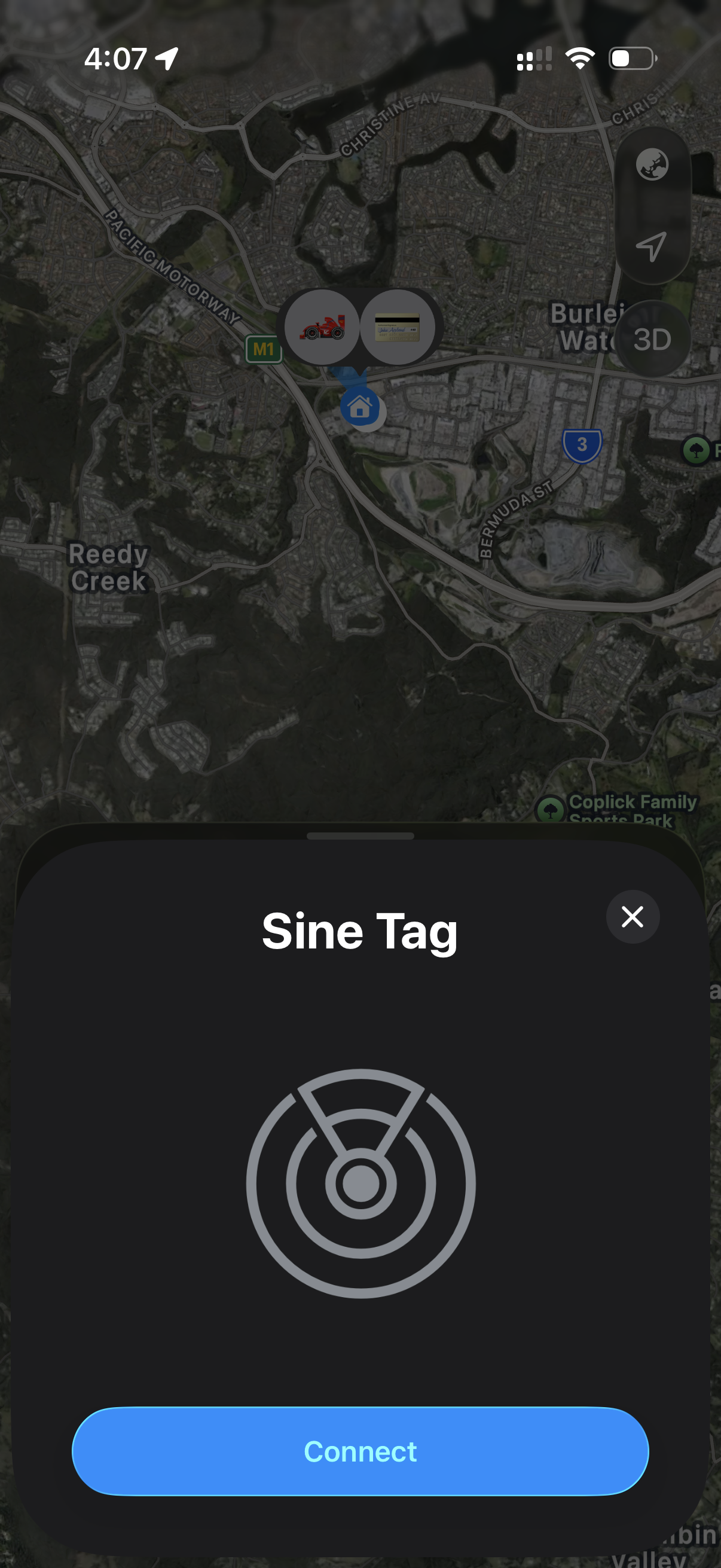
8, Name your tool then tap "Continue"
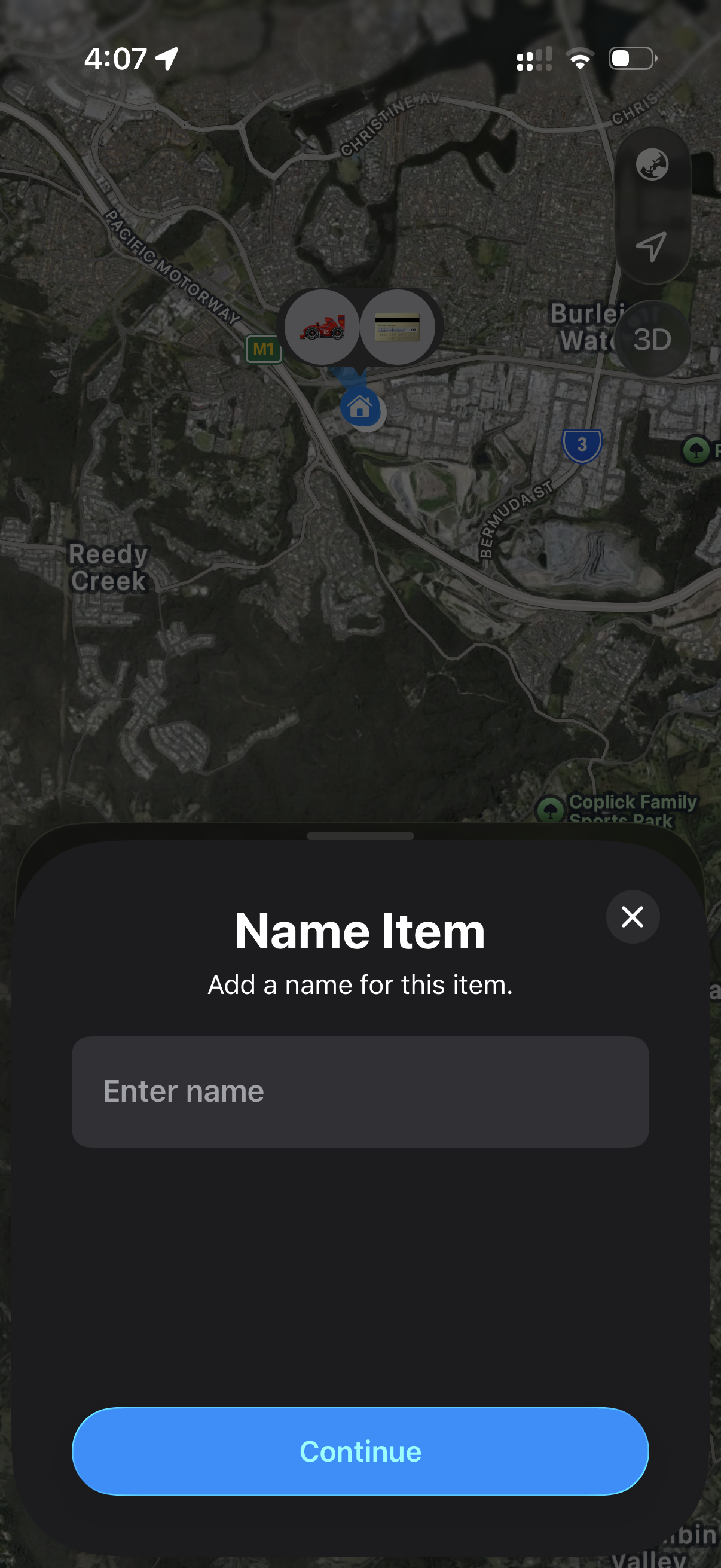
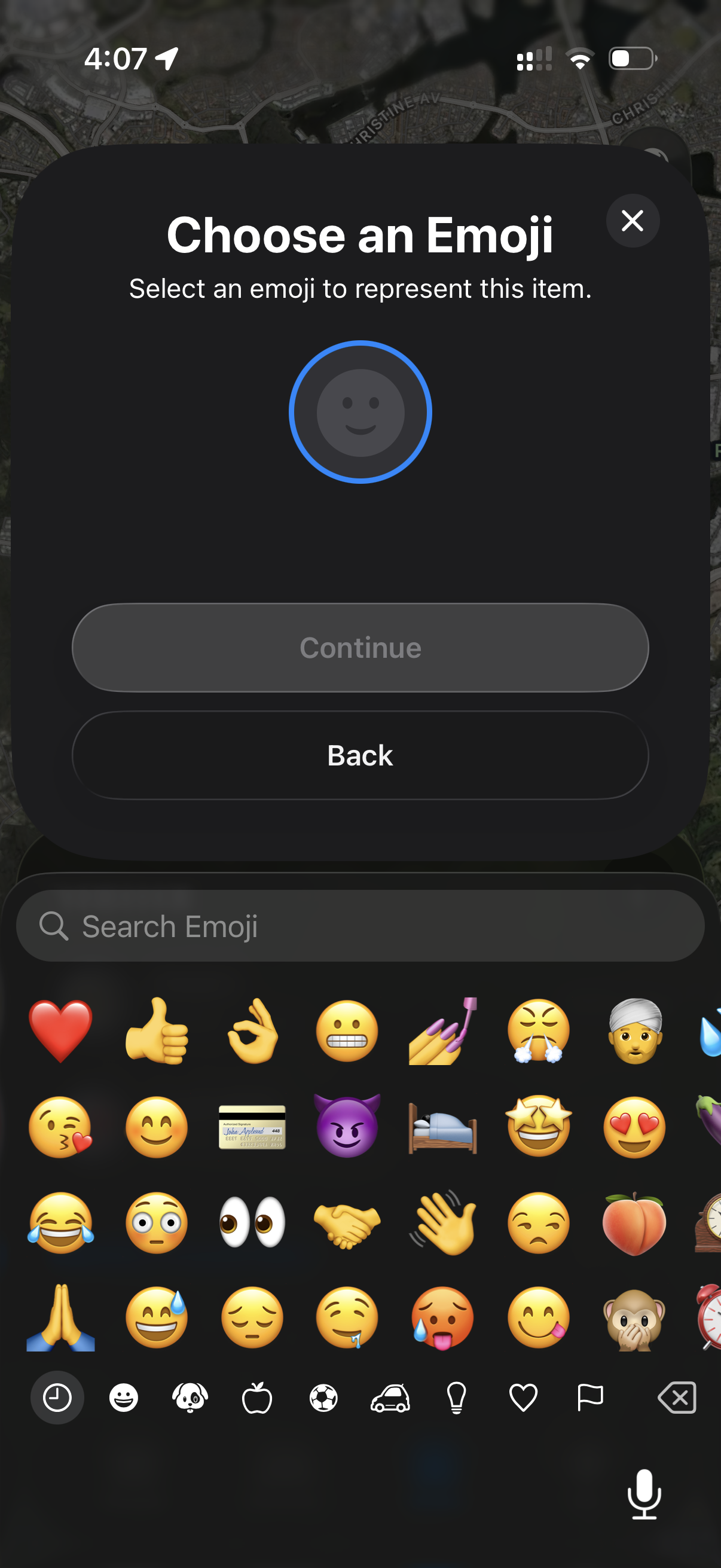
9, Choose an Emoji to represent your tool
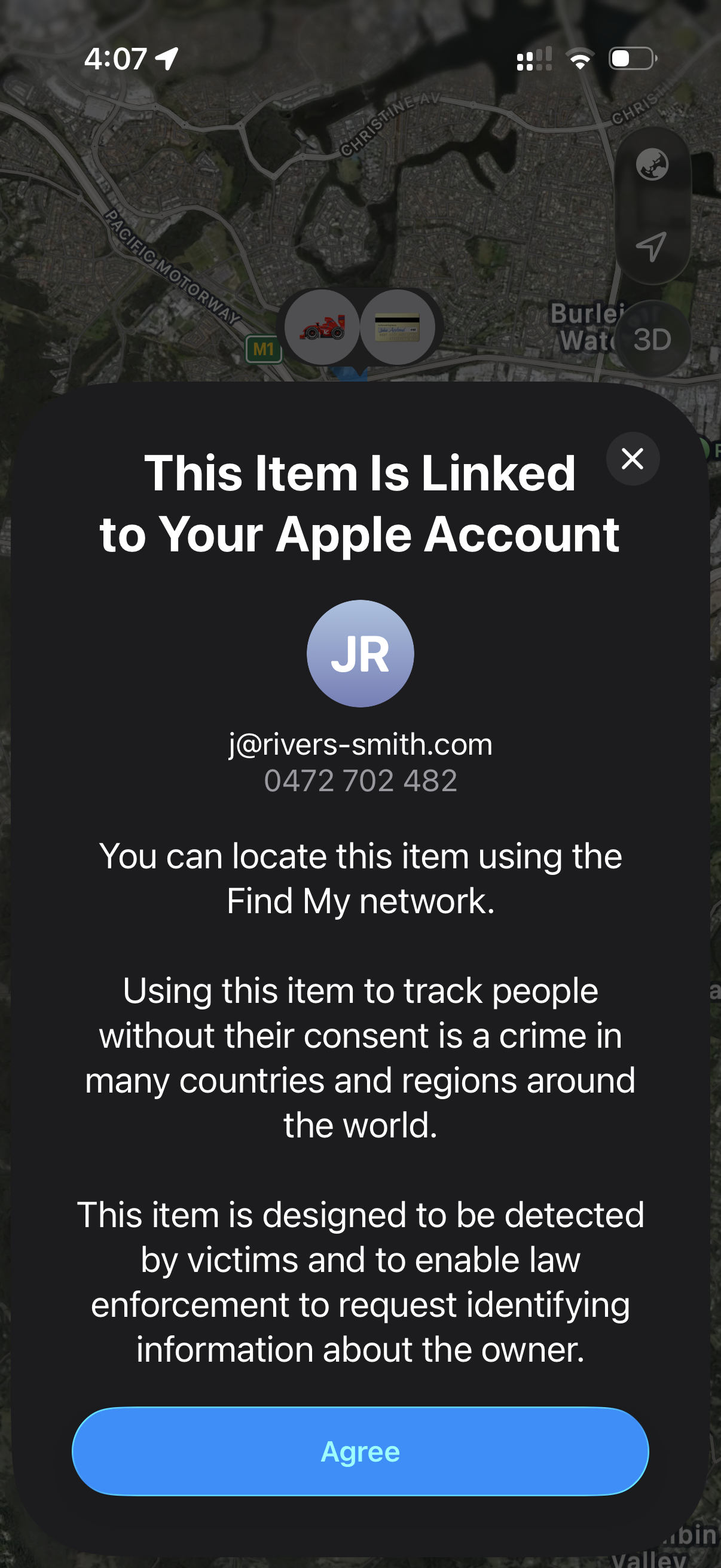
10, Accept the Apple terms by tapping "Agree"
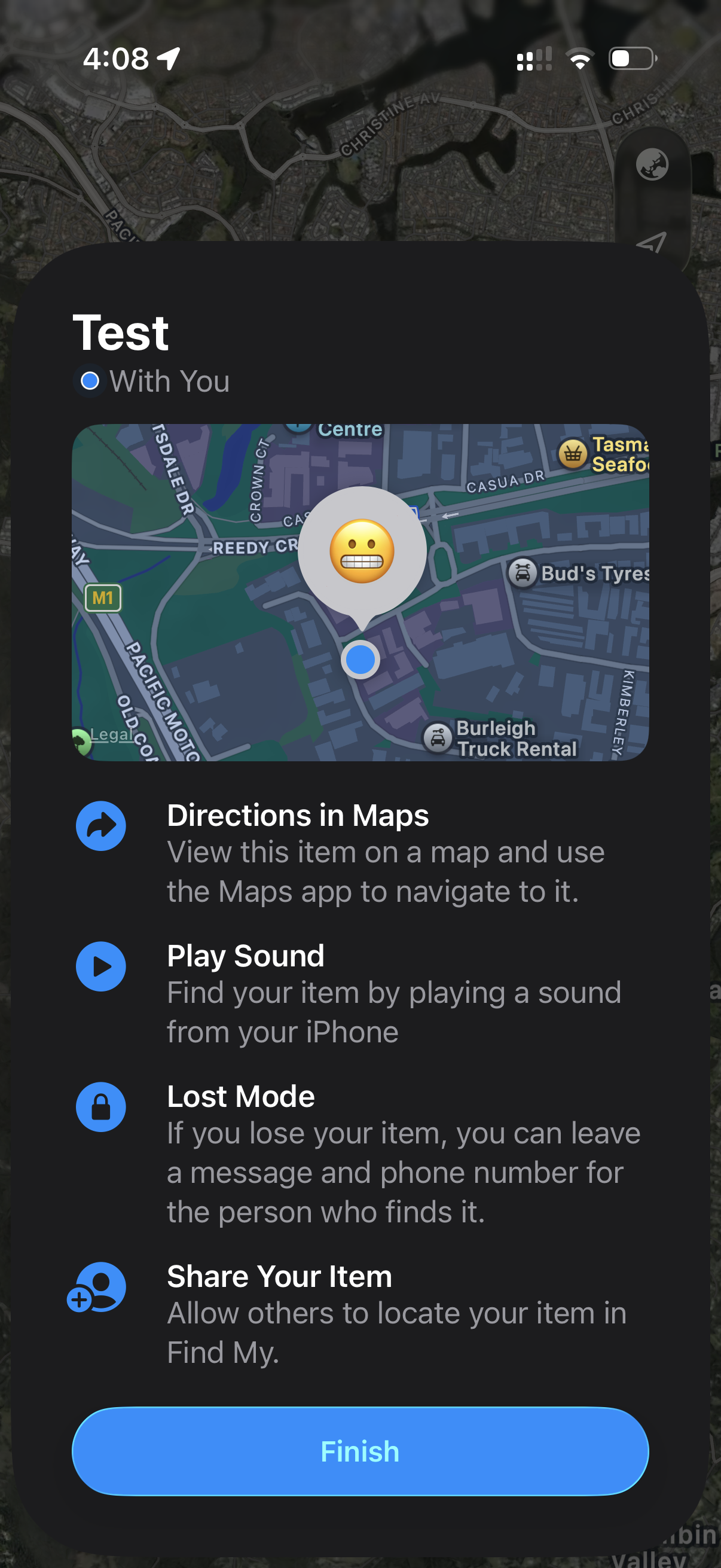
11, Read the feature set then tap "Finish"
12, Your item is now paired and ready for tracking
Video:
How to Charge the Tracker in Your Betta Battery:
Functions of the Find My App: